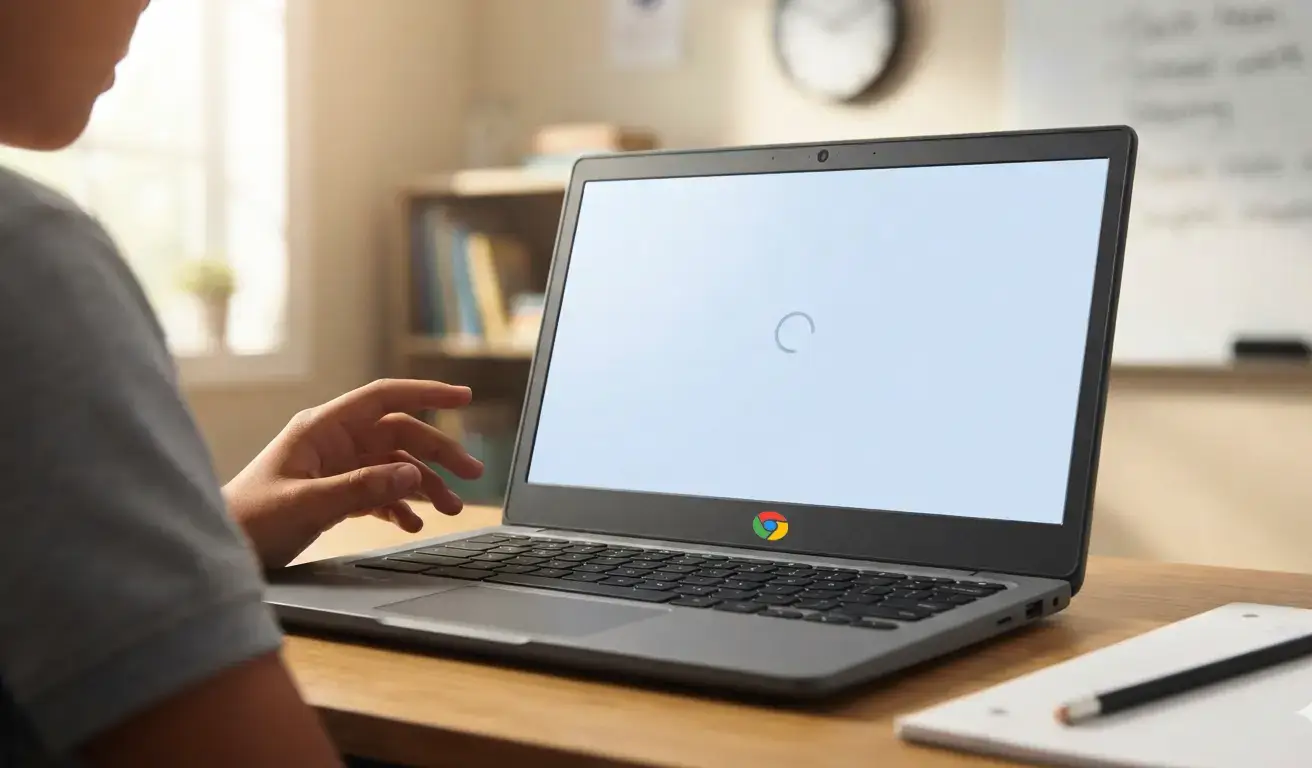




If you have walked into a K-12 classroom recently, a charter school in Chicago, a public school in Atlanta, a small independent school in rural Texas, you have probably noticed the same thing: technology is everywhere.
Chromebooks on every desk. Smartboards on every wall. Teachers are logging into three different platforms before the morning bell even rings.
But here is the question nobody is asking loudly enough: Is any of it actually working?
Not working as in the devices turn on. Working as in:
- Does the Wi-Fi hold up when 30 students open their browsers at the same time?
- Does the testing platform load without crashing during the week of state assessments?
- Can a teacher get IT support at 7:30 AM on a Monday before the first period starts?
That is the real conversation about the classroom of tomorrow. It is not about which new tool is trending at EdTech conferences. It is about building a technology environment that reliably supports instruction every day, for every student.
In this guide, we walk through what that classroom actually looks like and give you six specific, actionable steps your school can take right now to get there.
The Classroom of Tomorrow Is Reliable, Not Just Tech-Heavy
Let us start by challenging a very common assumption: that a more modern classroom has the most technology.
Visit any education technology conference, and you will see vendors promising to transform learning with AI-powered platforms, immersive AR experiences, and machine learning-driven assessments. All of that sounds exciting. But ask a fifth-grade teacher what actually disrupted her class last Tuesday, and you will hear something much more familiar:
Technology that breaks at the wrong moment does not just waste time; it erodes teacher confidence in technology altogether. The classroom of tomorrow starts with a simple promise: the technology works.
What reliable infrastructure looks like in a K-12 school in 2026:
- A network designed for density, not just coverage – 30 students opening browsers simultaneously should not strain your Wi-Fi. Modern school networks use high-density access points and bandwidth allocation that reflect real classroom usage patterns.
- Wi-Fi coverage in every single space – Not just classrooms. Hallways, gymnasiums, cafeterias, portable buildings, and outdoor learning spaces. If a student sits down to work, they should be able to connect.
- Bandwidth scaled to your actual applications – Video streaming, cloud-based testing platforms, Google Workspace, and video conferencing all compete for bandwidth. Your network needs to be sized for concurrent real-world usage – not just device count.
- A backup internet connection that activates automatically – If your primary ISP goes down the morning of a state test, a failover connection should kick in within seconds. Students never notice. The test continues.
- Devices that connect, stay connected, and work – This sounds obvious. In most schools, it is not. Reliable device performance requires active device management, not just initial setup.
What broke the most often last school year?
The answer to that question is your technology priority list. Solving existing reliability problems delivers more classroom value than almost any new purchase.
Run a Wireless Site Survey Before Your Next Device Rollout
Before purchasing new Chromebooks, tablets, or any internet-dependent devices, spend one school day conducting a wireless site survey. Walk every classroom, hallway, and common space with a connected device and record signal strength, connection quality, and drop frequency. Most schools discover 3 to 5 significant problem areas they were not aware of. Fixing those first means every device you already own will perform better – and any new devices you purchase will actually be worth the investment.
Devices Are Just the Beginning. Lifecycle Management Is the Real Work.
Here is a number that surprises most school leaders when they hear it for the first time: the average school Chromebook has a useful, supported life of three to five years.
Google’s Auto-Update Expiration (AUE) policy means that after a device reaches its end-of-support date, it stops receiving software updates – including critical security patches. The device still turns on. It still connects to Wi-Fi. But it no longer receives the security updates that keep student data safe, and it gradually loses compatibility with the platforms your school relies on.
In a classroom of 30 students, even five outdated Chromebooks create friction: slower performance, compatibility errors, and security vulnerabilities your IT team has to work around. Multiply that across a school with 600 or 1,000 devices, and you have both a significant security gap and a classroom management problem.
The classroom of tomorrow does not just have devices. It has a device lifecycle plan – a documented, proactive approach to managing every device in your fleet from enrollment to retirement.
What a device lifecycle plan looks like in practice:
- A complete, current inventory of every device in your school – Make, model, serial number, assigned user, current condition, and AUE date. All of it in one place, always up to date.
- A refresh schedule built into your annual budget cycle – Devices approaching end of life appear on a budget plan 18 months before they need to be replaced – not as a surprise expense when they fail.
- A clear repair-vs-replace decision framework – A cracked screen on a two-year-old Chromebook is worth repairing. The same repair on a device six months from AUE is money wasted. You need clear criteria for that decision.
- MDM (Mobile Device Management) for remote configuration – MDM lets your IT team push app updates, apply security settings, configure printers and Wi-Fi, and troubleshoot devices remotely – without touching each one by hand. In a school with hundreds of devices, this is the difference between IT being proactive and IT being constantly overwhelmed.
- A device check-in and check-out system – Especially in 1:1 programs, knowing where every device is at any moment reduces loss, simplifies repairs, and creates accountability.
One more thing worth mentioning: the cost of reactive device management is almost always higher than the cost of proactive lifecycle management. When devices fail unexpectedly, schools pay for emergency replacements at full retail price, lose instructional time while students wait, and deal with the frustration of students whose work may have been lost on a device that stopped working without warning.
A complete guide to managing Chromebooks proactively – from initial setup through AUE planning and end-of-life replacement.
Build Your AUE Calendar Today – It Takes Less Than an Hour
Log in to your Google Admin Console and navigate to Devices > Chrome > Devices. You can view or export the AUE date for every Chromebook in your fleet. Sort by AUE date. Any device expiring within the next 18 months should be flagged for your next budget planning conversation. Any device already past its AUE date is a security risk that needs to be prioritized for replacement. This is one of the highest-impact things an IT coordinator can do in a single hour – and most schools have not done it.
The Future Classroom Is Cyber-Safe. Most Schools Are Not There Yet.
Between 2023 and 2024, cyberattacks on K-12 schools increased by 35 percent. That is not a statistic designed to frighten you – it reflects a real and well-documented trend. Schools have become a specific target for ransomware groups, phishing campaigns, and data theft operations. The reasons are straightforward:
- Schools hold high-value personal data
- IT staffing in schools is chronically thin
- School budgets limit security investment
- Schools are highly networked environments
These factors combine to make schools an attractive target. But here is what the same research tells us: the majority of successful cyberattacks against schools exploit basic, preventable security gaps. Not sophisticated zero-day exploits. Basic gaps.
The most common security gaps in K-12 schools right now:
- No Multi-Factor Authentication (MFA) on staff accounts
- No Endpoint Detection and Response (EDR)
- Outdated third-party software on school devices
- No staff phishing awareness training
- No documented incident response plan
- No data backup has been tested
MFA for all staff accounts can be enabled in Google Workspace or Microsoft 365 in a single afternoon. Patch management can be automated, so software updates happen overnight without disrupting instruction. Staff phishing training takes 15 minutes a month. A basic incident response checklist can be written in two hours. Cybersecurity in schools does not require a six-figure budget. It requires prioritization and the right partner.
A complete guide to managing Chromebooks proactively – from initial setup through AUE planning and end-of-life replacement.
Enable MFA for All Staff Accounts This Week – It Is Free and Takes One Afternoon
Multi-Factor Authentication is the single highest-ROI security action any school can take. If your school uses Google Workspace for Education, go to Admin Console > Security > 2-Step Verification and enforce it for all admin and teacher accounts. If you use Microsoft 365, go to the Microsoft 365 Admin Center > Active Users > Multi-factor authentication. Both are included in your existing licenses. No new tools. No new budget. Just one afternoon and a brief staff communication. This one change stops the majority of account-based cyberattacks cold.
AI Is Already in Your Classroom. Your IT Needs to Catch Up.
In early 2026, research found that 46 percent of high school students now use AI tools in their academic work –ChatGPT, Google Gemini, Microsoft Copilot, Perplexity, Claude, and a growing list of others. They are using these tools to research topics, draft essays, study for exams, solve math problems, and get explanations of concepts they did not understand in class.
This is happening whether schools have officially introduced AI or not. The classroom of tomorrow does not pretend that AI does not exist. It manages AI intentionally, creates clear guidelines for students and staff, and ensures the IT infrastructure can support responsible AI use.
That creates a new set of responsibilities for school IT teams – and for the IT partners who support them:
-
-
- Content filtering that keeps pace with AI
-
Blocking AI tools wholesale creates workarounds and resentment. Age-appropriate, context-sensitive filtering allowing AI research tools while blocking inappropriate content is the more sustainable approach. Your filtering system needs to be updated to account for AI platforms by name and by category.
-
-
- Bandwidth planning that includes AI usage
-
AI tools are data-intensive. Schools that have not accounted for AI traffic in their bandwidth planning are already experiencing slower network performance without knowing why. A network audit should now include AI tool usage as a category.
-
-
- Data privacy policies that cover AI platforms
-
FERPA and COPPA place strict limits on what student data can be shared with third-party platforms. Many AI tools have data collection practices that may conflict with these requirements. Your IT team and administration need to review each AI tool’s data policy before allowing student use.
-
-
- Academic integrity guidelines with IT backing
-
IT can support academic integrity not just through content filtering, but through activity monitoring, device management policies, and reporting tools that give teachers visibility into student device usage during assessments.
-
-
- Staff training on AI in the classroom
-
Teachers who do not understand AI tools cannot set meaningful expectations for students. A 60-minute professional development session covering what AI does, what it does not do, how to identify AI-generated work, and how to use AI as a legitimate learning tool changes the dynamic entirely.
-
-
- Network security adapted for AI-powered threats
-
AI is also being used by attackers. Phishing emails are now AI-generated and nearly indistinguishable from legitimate communication. Your security posture has to account for this new threat level.
You do not need to become an AI expert. What you need is an IT partner who is paying close attention to how AI is changing both the learning environment and the threat landscape and who can advise you on practical policies that protect students without blocking legitimate educational use. The right question is not whether we should allow AI. It is how do we manage it responsibly?
The Future Classroom Runs on Proactive IT, Not Reactive Firefighting
Ask any school IT coordinator to describe a typical Monday morning in September, and you will likely hear some version of the same story.
The school year starts. Teachers come back from summer. Students get devices. And then the help desk floods. Password resets. Devices that will not connect. Printers that worked fine in June, but somehow do not work in August. A network switch that nobody noticed was failing all summer slowly. Classroom projectors with firmware that needs updating. Google accounts that need reconfiguration.
One Cherokee County, Georgia school district reported receiving nearly 4,000 IT support tickets in the first six days of the school year. Four thousand tickets in six days. That is the cost of reactive IT – where problems are discovered only when they break, and fixed only after students and teachers have already been impacted.
The classroom of tomorrow runs on proactive IT. Problems are identified and corrected before anyone in a classroom knows they exist. This is not magic; it is a specific set of practices that any school can implement with the right systems and support:
-
-
- 24/7 network monitoring
-
Automated monitoring systems watch your network infrastructure continuously, switches, routers, access points, firewalls, and send alerts when something behaves abnormally, before it causes an outage. A failing switch is replaced on a Tuesday afternoon, not discovered when the building goes dark on a Wednesday morning.
-
-
- Automated patch management
-
Software updates for operating systems and applications are pushed silently, overnight, without interrupting instruction. No teacher needs to wait for a device to update. No IT staff member needs to visit each device individually. And no unpatched application sits exposed for months because the update requires manual action.
-
-
- Device health monitoring
-
Managed IT tools can monitor device performance metrics, battery health, storage capacity, and error rates across your entire fleet. A Chromebook that is developing a storage problem can be flagged and replaced before it fails in a student’s hands during a critical assessment.
-
-
- Pre-season IT audits before high-stakes moments
-
Smart schools schedule a structured IT audit before the start of every school year and again before every state testing window. Network performance is tested. Device inventories are verified. Applications are confirmed to be working. Testing platforms are validated. Problems found in a planned audit cost a fraction of the problems found during an assessment.
-
-
- Help desk ticket pattern analysis
-
When 20 students submit the same connectivity complaint in a single week, that is not 20 individual problems. That is one system-level problem wearing 20 different faces. Proactive IT teams analyze ticket patterns to find and eliminate root causes rather than resolving the same issue repeatedly.
-
-
- Scheduled preventive maintenance
-
Network equipment, servers, and physical infrastructure have maintenance schedules, just like HVAC systems and school buses. Proactive IT follows those schedules. Reactive IT waits for failures.
There is also a staff morale dimension to this that does not get discussed enough. When teachers experience reliable technology, they use it more confidently. When they experience unreliable technology, they develop workarounds, avoid the tools, and bring frustration into a school culture that depends on trust between staff and administration. The cost of reactive IT is not just technical; it is human.
Why the reactive model is costing your school more than you realize and what a proactive IT partnership actually looks like.
Pull Your Top 5 Recurring Ticket Types, Then Eliminate Them
Open your IT help desk system and pull a report of all tickets from the last 90 days. Group them by issue category. Find the top 5 recurring types. Password resets, Wi-Fi connectivity issues, and printer problems are in the top three for most schools. Now treat each category as a systems problem, not a user problem. Password resets can be almost entirely eliminated with self-service reset portals. Wi-Fi issues can be eliminated with a proper site survey and AP configuration. Printer problems can be reduced with standardized driver deployment through MDM. Your IT partner should be actively working to eliminate your top ticket categories, not just process them one by one, forever.
The Future Classroom Is Built on a Plan, Not Just Purchases
One of the most common conversations we have with new school partners starts the same way. The school has bought Chromebooks. They have upgraded their Wi-Fi. They have added a new learning management system. They have subscribed to four or five EdTech platforms. And none of it quite works the way anyone expected.
When we dig into why, the answer is almost always the same: the technology decisions were made individually, not as part of a coherent plan.
-
-
- Technology without a plan is just expensive equipment.
-
The classroom of tomorrow is built on a strategic technology roadmap — a living document, updated annually, that connects every technology decision to the school’s academic mission and operational realities. It does not have to be a 50-page strategic plan. In many schools, a clear 3-year technology roadmap fits on three or four pages. What matters is that it exists and that decisions are made with it, not around it.
-
-
- What a strategic school technology plan covers:
- Device refresh schedule tied to budget cycles
- What a strategic school technology plan covers:
-
Every device in your fleet has an expected replacement date. That date appears in your budget plan 18 months in advance. No surprises. No emergency purchases at retail prices.
-
-
-
- Network capacity planning for projected enrollment
-
-
If your school plans to grow by 200 students over the next three years, your network needs to be sized for 200 more connected devices before those students arrive, not after.
-
-
-
- Cybersecurity baseline and annual improvement milestones
-
-
Where are you today on MFA, endpoint security, patch management, and backup? Where do you need to be? What is the plan to close the gap, year by year, within your budget?
-
-
-
- Software license review and rationalization
-
-
Most schools are paying for software licenses that are rarely or never used. An annual review of actual usage against active licenses almost always reveals meaningful savings that can be redirected toward higher-priority needs.
-
-
-
- Staff technology training calendar
-
-
New tools fail when staff do not know how to use them or do not trust them. A training calendar tied to new tool rollouts, not left as an afterthought, dramatically improves adoption and ROI.
-
-
-
- IT budget framed as operational, not capital
-
-
The most sustainable school technology budgets treat managed IT as a monthly operational cost like utilities rather than as a series of large, unpredictable capital purchases. This makes technology spending plannable, auditable, and defensible to a school board.
-
-
-
- Vendor and partner accountability structure
-
-
Who is responsible for what? What are the SLAs for your IT partner? How and when is performance reviewed? A technology plan makes these expectations explicit.
A strategic technology plan is one of the most useful documents you can bring to a school board budget conversation. It transforms we need money for IT into here is our 3-year technology roadmap, here is what it costs annually, and here is what it protects. Boards respond very differently to a plan than to a request.
Click: How to Create a 3-Year Technology Plan for Your Charter School
Step-by-step guidance for building a technology roadmap that connects IT investment to academic outcomes and budget reality.
What the Classroom of Tomorrow Actually Needs from IT Support
We have spent a lot of this guide talking about technology: networks, devices, security, AI, and planning. But the classroom of tomorrow is ultimately about people.
It is about the third-grade teacher who needs her projector to work at 8:00 AM without filing a ticket and waiting three hours. It is about the IT coordinator who needs a partner, not a vendor, who genuinely understands what a school day looks like. It is about the school leader who needs to trust that when something breaks, it gets fixed fast and explained clearly.
That means the IT support model matters as much as the technology itself. Here is what great school IT support actually looks like:
-
-
- Response times that respect instructional time
-
A 4-hour response time is acceptable for a non-urgent administrative question. It is not acceptable when a teacher’s classroom is stopped. Schools need IT support that distinguishes between urgent and non-urgent issues and responds to urgent issues in minutes, not hours.
-
-
- Communication in plain language, not tech jargon
-
The best school IT professionals have one skill that does not show up in any job description: they can explain a complex technical problem to a teacher in one sentence without making her feel talked down to. Your Chromebook’s local cache got corrupted when the network dropped. I have cleared it, and it should work normally. This is a complete explanation. IT jargon that nobody outside IT understands is not.
-
-
- On-site support when remote is not enough
-
Remote support resolves the majority of IT issues quickly and efficiently. But some problems require physical presence: a network switch in a locked closet, a projector cable that has come partially loose, a device that will not boot regardless of what software commands are sent to it. A school IT partner needs to be able to deploy on-site support when the situation requires it within a timeframe that actually helps.
-
-
- Escalation paths that work automatically
-
A first-level help desk technician who is not sure how to resolve a problem should not sit on that ticket. Clear escalation paths mean complex issues move automatically to the right technical resource without the teacher having to call back and ask why nothing has happened.
-
-
- Visibility and reporting for school leaders
-
The principal and IT coordinator should not have to wonder how IT is performing. A good IT partner provides regular reporting: ticket volume by category, average resolution time, recurring issues identified, systems health overview, and upcoming maintenance items.
-
-
- A partner who knows your school specifically
-
Not a generic MSP that runs the same playbook for every client. A partner who knows your school’s academic calendar, understands your testing schedule, knows which classrooms have the oldest devices, and shows up to planning conversations prepared. That level of familiarity is the difference between IT support that reacts to your school and IT support that proactively serves it.
The Classroom of Tomorrow Is Available Today If the Foundation Is Right
The most exciting technology in education right now is AI-assisted tutoring tools, adaptive learning platforms, cloud-based collaboration environments, and immersive digital content, all of it depends on the same foundation:
A network that does not fail. Devices that are managed proactively and replaced according to a plan. Security that does not require a crisis to be taken seriously. IT support that understands what a school day actually looks like. And a strategic roadmap that connects every technology decision to the school’s mission.
The schools that are making technology work for their students in 2026 are not necessarily the ones with the biggest budgets. They are the ones who got serious about the fundamentals and built the right partnerships to sustain them.
That is the classroom of tomorrow. And it is closer than most school leaders think.
How Inspiroz delivers education-first managed IT to charter and independent schools: 24/7 help desk, cybersecurity, device lifecycle, strategic planning, and on-site support