


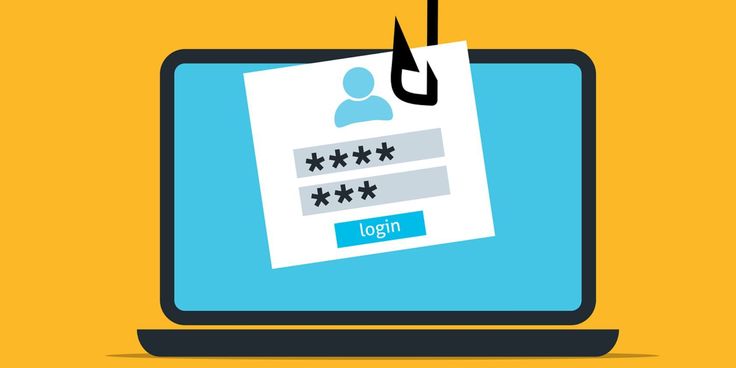

A phishing email disguised as a password reset is one of the oldest tricks in the book. It still works — and it is working on your students right now.
It arrives in the inbox looking completely routine.
“We received a request to reset the password for your account. If you made this request, click the button below. If you didn’t, you can ignore this email.”
The logo is right. The font looks familiar. There is even a footer with a privacy policy link. Everything about it says: this is safe, this is expected, this is what you do.
So the student clicks.
A page loads. It looks exactly like Google, or Microsoft, or whatever platform they use at school. They type in their username. They create a new password. They hit confirm.
And in that moment, in less time than it takes a teacher to call the register, an attacker has their credentials, their email access, and a clear path into every other account linked to that address.
This is not a theoretical scenario. It is happening in schools every week.
Why Password Reset Phishing Works So Well on Students
Phishing is not new. But password reset phishing has an unusual quality that makes it disproportionately effective, it exploits behaviour we have taught users to perform.
For years, every digital literacy lesson and IT onboarding session has told people: if you get locked out of an account, click ‘Forgot Password’ and follow the email. We trained users to act on password reset emails automatically. Attackers noticed.
For students, the effect is amplified. They are managing an average of 12 to 20 platform logins for school alone. As we document in our guide to the hidden gaps in school cybersecurity, the sheer volume of credentials students manage makes each individual login feel disposable, and that normalisation is exactly what attackers rely on.
That routine is the vulnerability.
What a Real Attack Looks Like
The mechanics of a password reset phishing attack are straightforward, which is precisely why they are so effective.
An attacker sends a spoofed email that appears to come from a trusted platform, such as Google, Microsoft, PowerSchool, or even the school itself. The email tells the recipient their password needs to be reset or that suspicious activity has been detected.
The link inside does not go to the real platform. It goes to a cloned page, pixel-perfect in most cases, designed to capture whatever the user types. Once credentials are submitted, the attacker has them within seconds. The fake page typically redirects back to the real platform immediately afterward, so the victim never knows anything went wrong.
According to the FBI’s Internet Crime Complaint Center, phishing remains the single most reported cybercrime in the United States, with losses exceeding $12 billion annually across individuals and institutions.
For schools, the downstream consequences of a single compromised student account can be significant. Student email often carries access to shared drives, parent communication threads, assignment submissions, and, in some cases, through connected platforms, financial aid, or lunch account data.
The School’s Role in This
It would be easy to frame this as a student problem, a failure of individual vigilance that better habits could fix. That framing is both wrong and unhelpful.
Schools are institutions. When a student account is compromised, it is the institution that bears the operational and reputational consequences. When student data is exposed, FERPA does not care whether the breach originated from a lack of awareness training. The accountability lies with the school.
K-12 schools face more than 4,300 cyberattacks every week, according to a Government Accountability Office report on K-12 cybersecurity. Schools are targeted specifically because they hold sensitive data, operate with small IT teams, and face the budget pressure that delays security upgrades.
Phishing is the most common initial access point for ransomware attacks and data breaches that cost schools an average of $556,000 to recover from, a figure that makes purpose-built email security and phishing defence for schools a sound investment by any measure.
The email that a student clicks without thinking is not just their problem. It is the front door.
What to Teach Students (And What to Tell Staff)
The core lesson is simple to state and harder to instil: never initiate a password reset by clicking a link in an email you did not ask for.
Instead, the correct action is to open a new browser tab, navigate directly to the platform in question, and initiate the password reset process from there. Every legitimate platform supports this. No genuine security system requires you to use the link in a specific email.
Beyond that foundational rule, students and staff need to understand four red flags each of which CISA covers in detail in its guidance on stopping phishing attacks at phase one:
- You did not request it.
If no one at that device asked for a password reset, treat the email as suspicious immediately. Legitimate platforms only send reset emails on request. - The sender address does not match the domain.
A reset email from Google will always come from a google.com domain. Attackers use addresses like ‘no-reply@g00gle-security.com’ or hide a spoofed address behind a legitimate-looking display name. - The link URL does not match the platform.
Hover over, do not click the button in the email. If the URL shown does not match the platform’s actual domain exactly, do not proceed. One altered character is enough. - There is urgency or a threat.
“Your account will be locked in 24 hours.” Urgency is a manipulation technique, not a security feature. Real platforms do not threaten account deletion over a password reset.
Why Awareness Alone Is Not Enough
Here is the uncomfortable truth that most phishing awareness campaigns avoid: training alone does not solve this.
Studies consistently show that even well-trained users click phishing links under conditions of time pressure, cognitive load, or stress. A student rushing to submit an assignment before a deadline does not have the same capacity for scrutiny as someone sitting calmly at a security training session.
This is why technical controls matter as much as, if not more than, awareness. Multi-factor authentication means that even if a password is stolen, the attacker cannot use it without the second factor. Schools evaluating their options should understand the difference between MDR, EDR, and combined endpoint protection because the right layering of controls is what makes training meaningful rather than performative.
Structural approaches like zero trust security in school IT environments operate on a simple principle: no user, device, or system is trusted by default, even inside the school network. Under zero trust, a stolen password alone is not enough to move laterally through school systems.
Awareness training teaches students to look before they click. Technical controls protect them when they do not.
What School Leaders Should Do This Week
The window between knowing about a threat and acting on it is where most school security incidents are born. Four actions with immediate impact:
- Enforce multi-factor authentication across all accounts.
MFA is the single most effective technical control against credential-based phishing. If your school’s Google Workspace or Microsoft 365 environment does not have MFA enforced, not optional, that needs to change today. - Run a phishing simulation.
The only reliable way to know how many of your staff and students would click a convincing phishing email is to send one under controlled conditions. Simulated phishing tests give you real data, not assumptions. - Review your email security configuration.
Does your school’s email platform have DMARC, DKIM, and SPF records configured? These protocols prevent attackers from spoofing your school’s own domain in phishing emails sent to staff, students, or parents. - Add password reset phishing to your digital citizenship curriculum.
This specific scenario, unsolicited reset email, urgent tone, convincing design, should be a named example in every school’s cybersecurity awareness provision.
The Question Worth Sitting With
Password reset phishing has been around for over a decade. The techniques are well-documented, the defences are well-understood, and the cost of prevention is low relative to the cost of recovery.
And yet it keeps working.
Not because students are careless. Not because the staff is negligent. But because the gap between what a school’s security environment can handle and what attackers are capable of sending has not yet been closed, and in most cases, nobody has been given the explicit job of closing it.
The email is already in someone’s inbox. If you are not certain your school’s defences are positioned to matter before they click, the right place to start is a free vulnerability assessment, a clear view of where your gaps are before an attacker finds them first.